Introduction
Microsoft is integrating AI features on Windows after launching Copilot+ PC in 2024. Copilot+ PC have NPU, a dedicated processor for AI, so it can run AI fast and efficiently on local. That’s why some AI features are Copilot+ PC exclusive.
AI-enabled Cloud PC is Cloud PC that can use Windows’ AI feature which requires NPU, like Copilot+ PC, because Ai processcing components are added to Microsoft Cloud for offloading AI processing and stream back to Cloud PC. With AI-enabled Cloud PC, we can use a PC with AI features on any type of devices.
Currently, only some of the features can be used.
- Improved Windows Search Find files fast with improved Windows search
- Click to Do Click to Do: do more with what’s on your screen
Requirements
AI-enabled Cloud PC is currently provided as frontier preivew, so it can only be available to tenant participating Copilot Frontier program.
- at least 8vCPU, 32GB RAM, 256GB Storage configuration
- must be enrolled to Windows Insider Program
- Windows OS build higher than 26100.6584(24H2) or 26200.6584(25H2)
- PowerShell’s ExecutionPolicy is set as RemotedSigned
- Enable features introduced via service that are off by default policy must be enabled.
How to
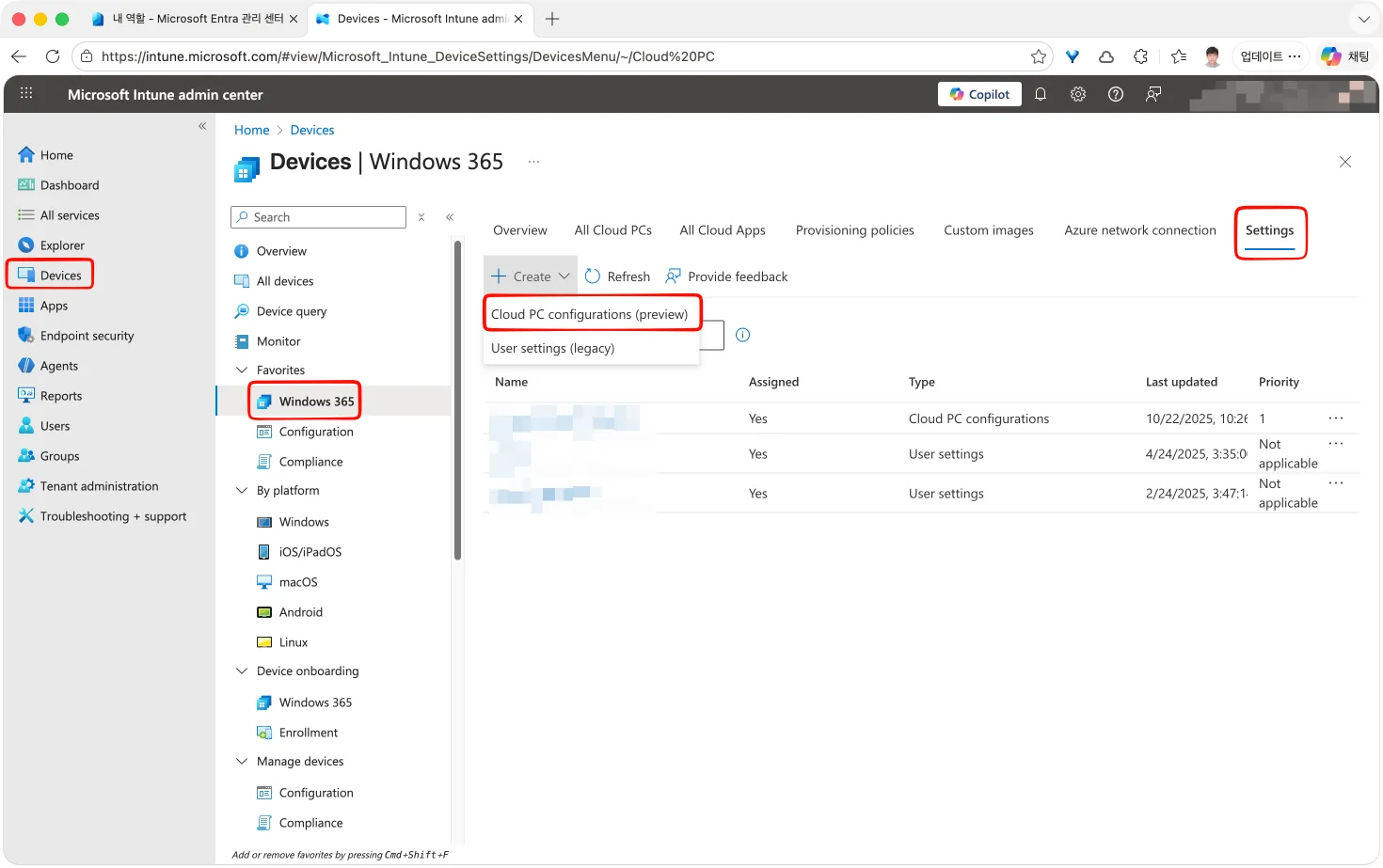
Can enable AI features on Cloud PC by creating and assign Cloud PC configuration in the Microsoft Intune Admin Cetner
- In the Intune Admin Center, go to Devices > Windows 365 > Settings > Create > Cloud PC configuration
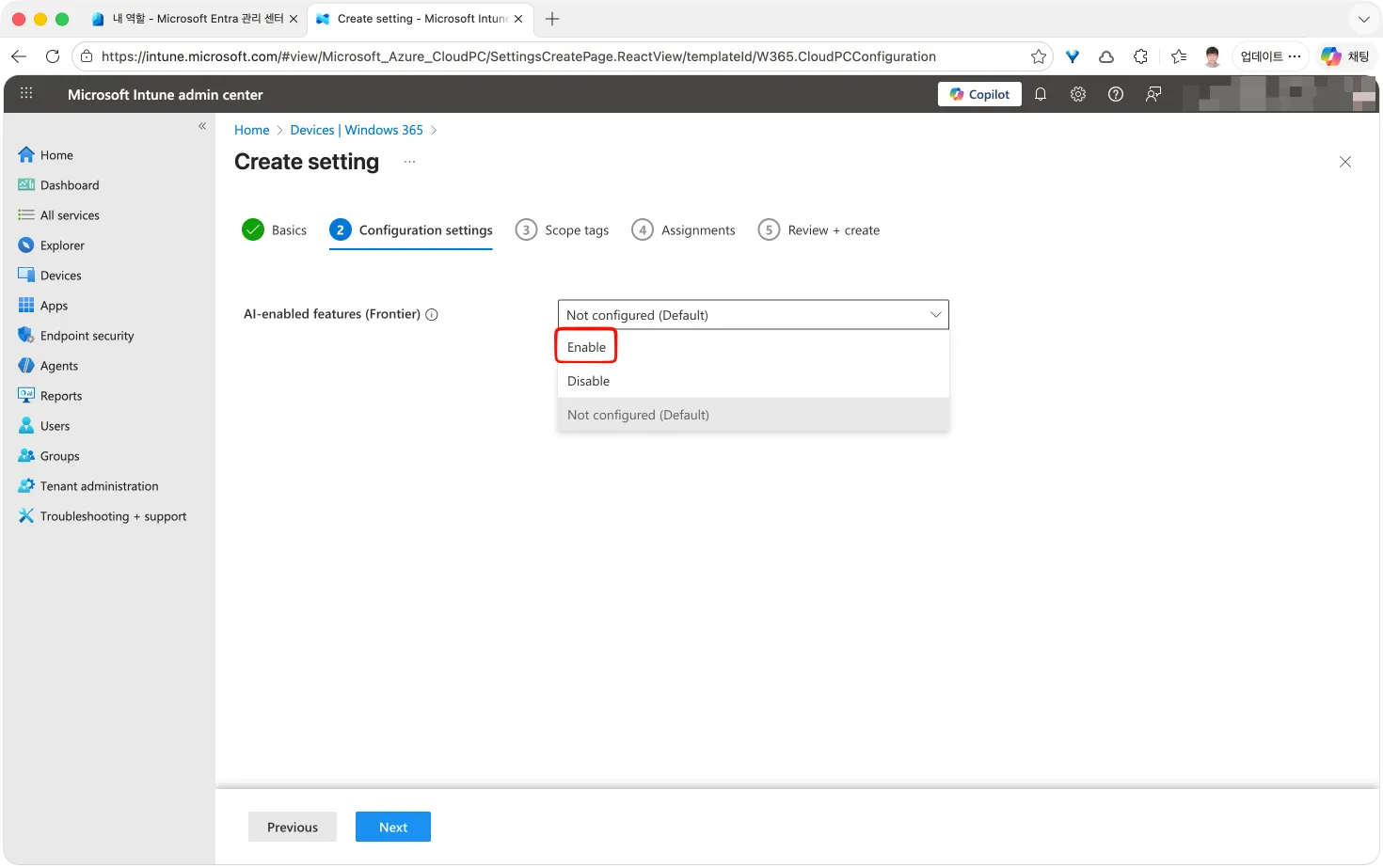
- In Configuration settigs step, Set AI-enable features to Enabled
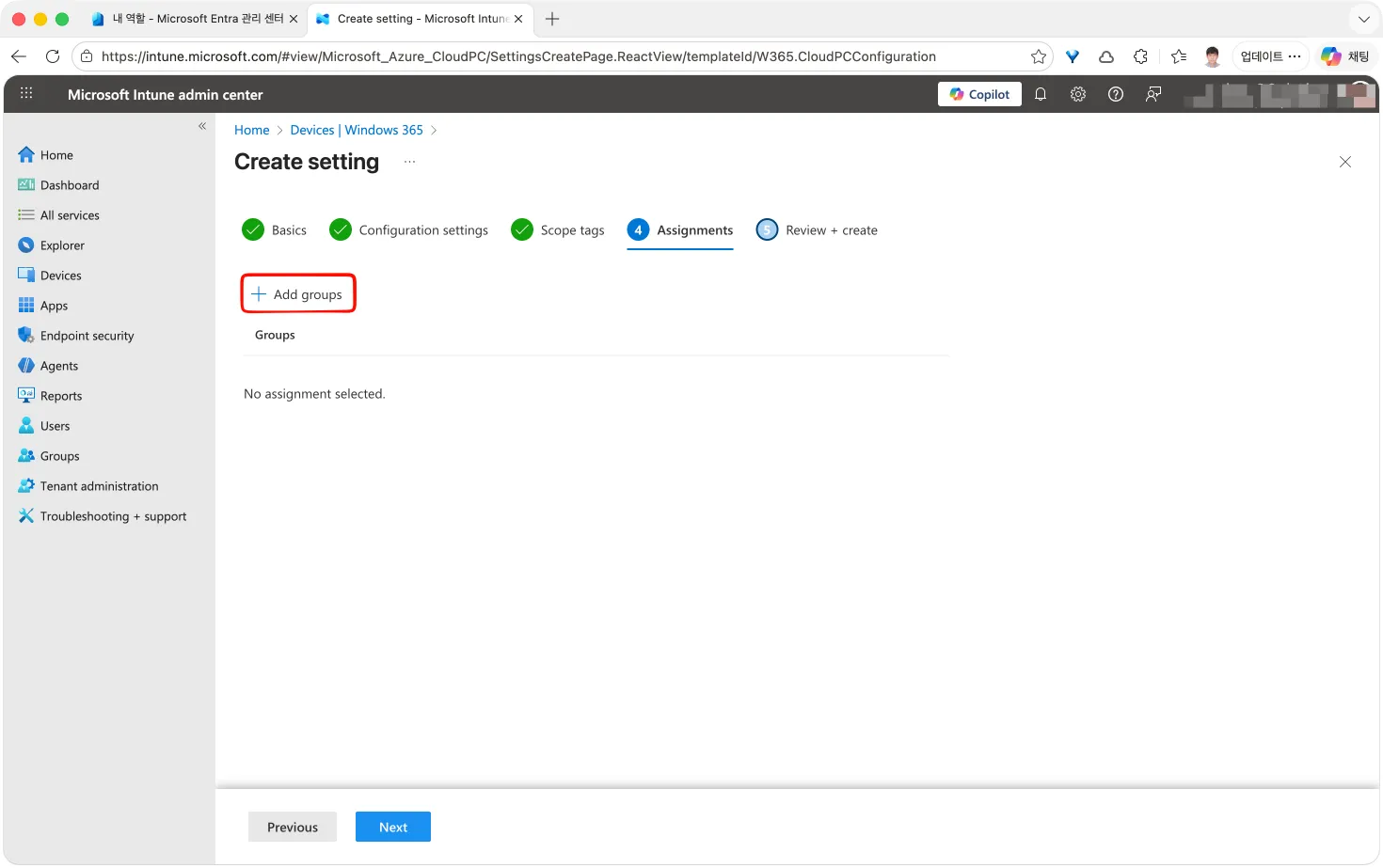
- Select user group to assign Cloud PC configuration
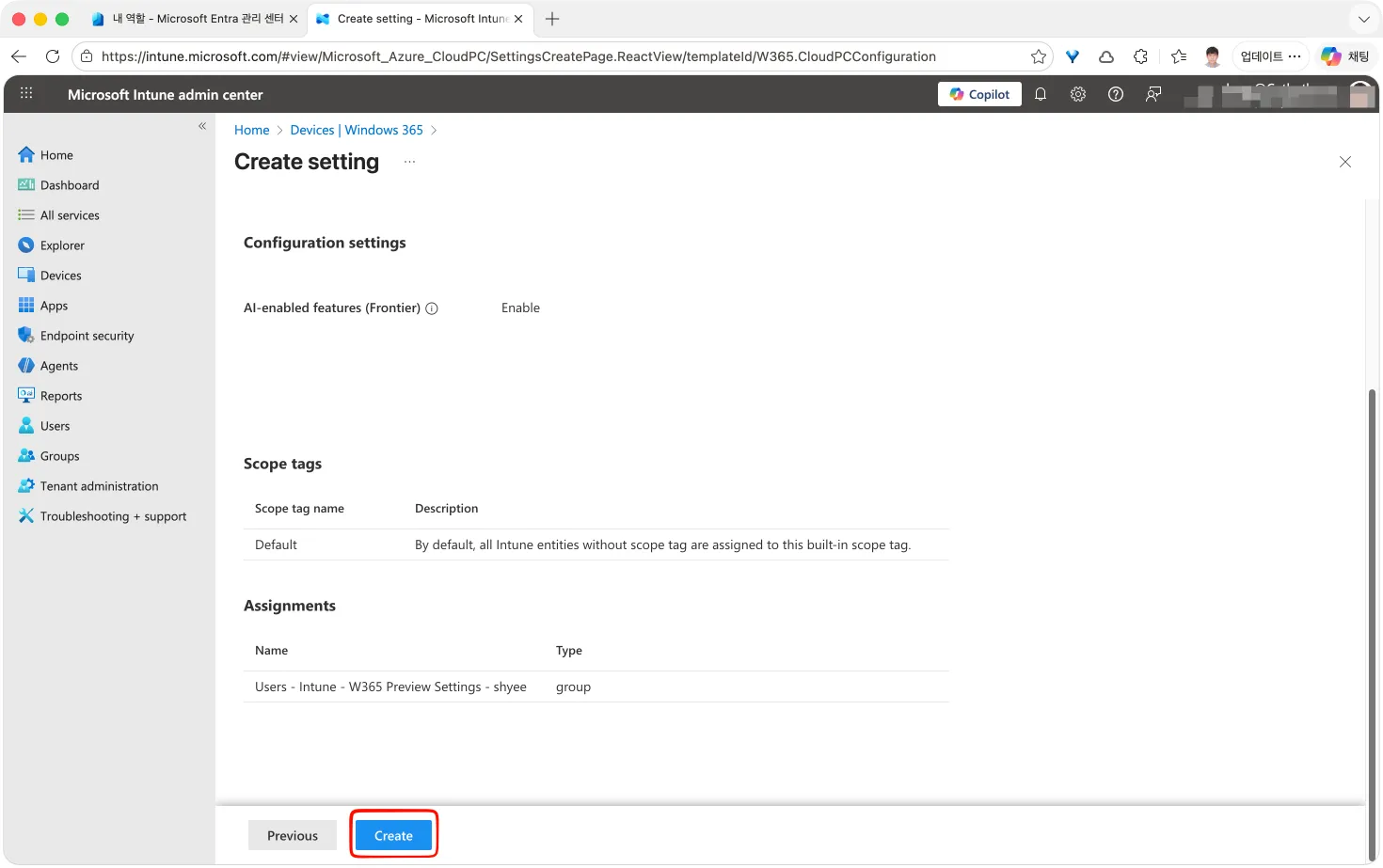
- Review the configuration and click Create button to create configuration.
Check AI feature is enabled on Cloud PC
After Cloud PC configuration is assiged to user, It may take up to 48 hours for neccesary background task are applied to the Cloud PC. Once the background task is complete, repeatdly checking Windows update until no more updates are appear.
Windows App
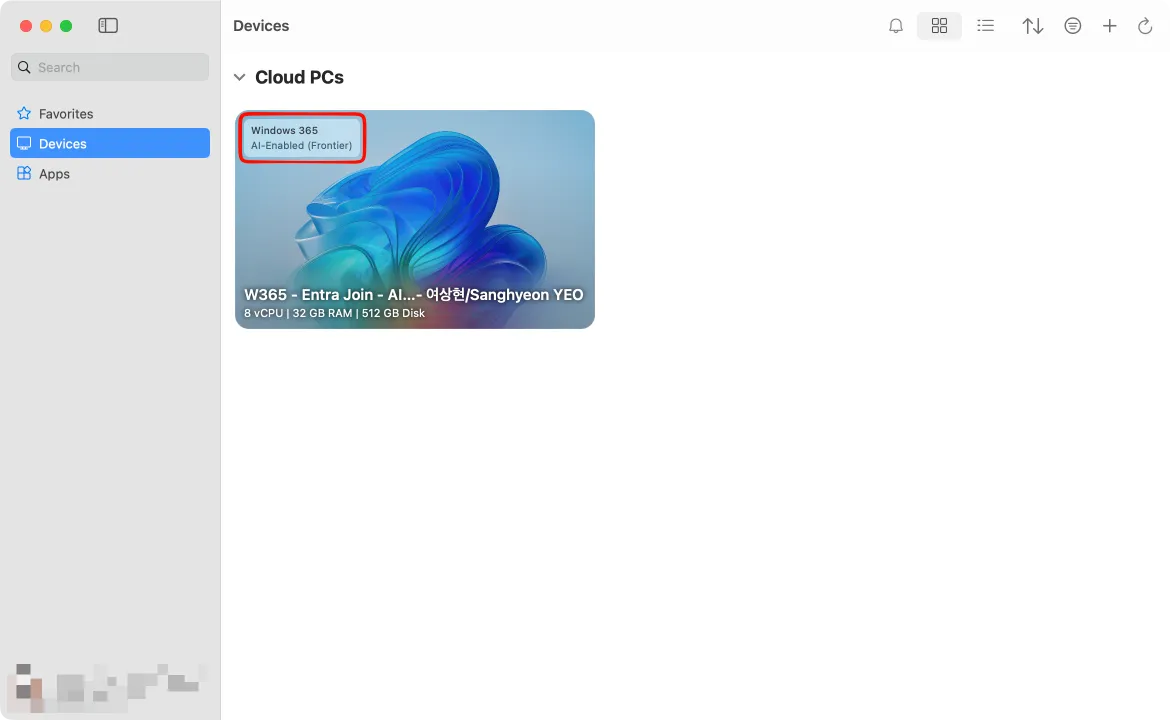
AI-enabled Cloud PC is shown with AI-Enabled tag
Windows taskbar
A rainbow-colorede effect is displayed in the search bow at Windows taskbar.

Intune Admin Cetner
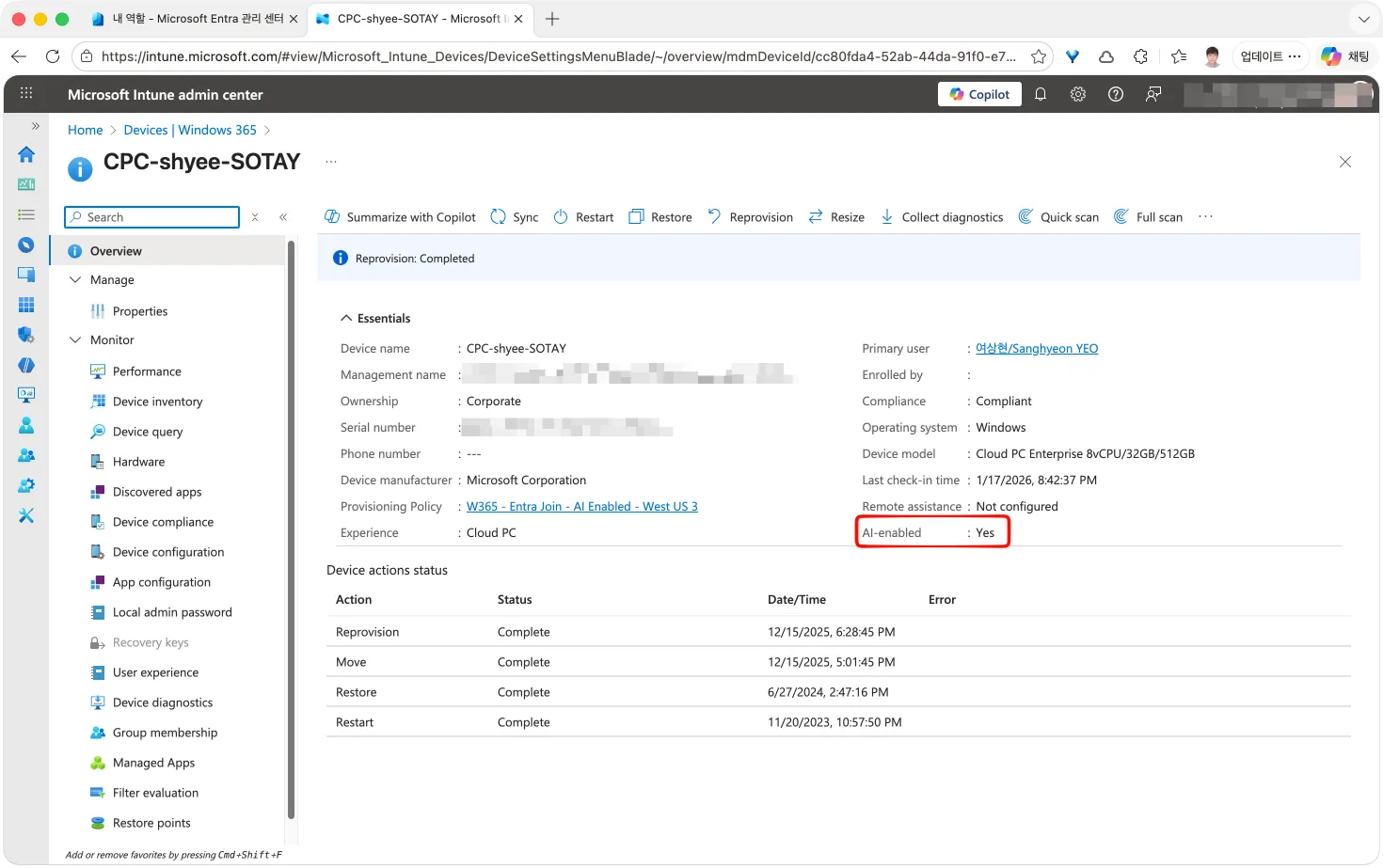
At overview page, AI-Enabled is marked as Yes.
Read more
Experience next-gen productivity with Windows 365 AI-enabled Cloud PCs